Table des matières
Version - 2025.01
Last update : 2025/01/17 15:29
DOE307 - Troubleshooting K8s
Contents
- DOE307 - Troubleshooting K8s
- Contents
- LAB #1 - The API Server
- 1.1 - Connection Refused
- 1.2 - System Pod Logs
- LAB #2 - The Nodes
- 2.1 - NotReady Status
- LAB #3 - Pods
- 3.1 - The ImagePullBackOff Error
- 3.2 - The CrashLoopBackOff Error
- LAB #4 - Containers
- 4.1 - The exec Command
- LAB #5 - Networking
- 5.1 - kube-proxy and DNS
- 5.2 - The netshoot Container
LAB #1 - The API Server
1.1 - Connection Refused
When it is not possible to connect to the K8s API server, you will see an error such as this:
trainee@kubemaster:~$ kubectl get pods
The connection to the server localhost:8080 was refused - did you specify the right host or port?
As a general rule, this error is caused by one of three situations:
The kubelet service
Check that the kubelet service is enabled and running on the controller:
trainee@kubemaster:~$ su -
Mot de passe : fenestros

root@kubemaster:~# systemctl status kubelet
● kubelet.service - kubelet: The Kubernetes Node Agent
   Loaded: loaded (/lib/systemd/system/kubelet.service; enabled; vendor preset: enable
  Drop-In: /etc/systemd/system/kubelet.service.d
           └─10-kubeadm.conf
   Active: active (running) since Fri 2022-09-16 09:29:34 CEST; 1 weeks 4 days ago
     Docs: https://kubernetes.io/docs/home/
 Main PID: 550 (kubelet)
    Tasks: 17 (limit: 4915)
   Memory: 129.6M
      CPU: 4h 16min 54.676s
   CGroup: /system.slice/kubelet.service
           └─550 /usr/bin/kubelet --bootstrap-kubeconfig=/etc/kubernetes/bootstrap-kub

Warning: Journal has been rotated since unit was started. Log output is incomplete or
lines 1-14/14 (END)
[q]
The KUBECONFIG variable
If you are using the root account to interact with K8s, check that the KUBECONFIG variable is set correctly:
root@kubemaster:~# echo $KUBECONFIG
/etc/kubernetes/admin.conf
The $HOME/.kube/config file
If you are using a normal user account to interact with K8s, check the contents of the $HOME/.kube/config file and that it has the correct permissions:
root@kubemaster:~# exit
déconnexion
trainee@kubemaster:~$

trainee@kubemaster:~$ cat $HOME/.kube/config
apiVersion: v1
clusters:
- cluster:
    certificate-authority-data: LS0tLS1CRUdJTiBDRVJUSUZJQ0FURS0tLS0tCk1JSUMvakNDQWVhZ0F3SUJBZ0lCQURBTkJna3Foa2lHOXcwQkFRc0ZBREFWTVJNd0VRWURWUVFERXdwcmRXSmwKY201bGRHVnpNQjRYRFRJeU1Ea3dOREEzTXpVek5sb1hEVE15TURrd01UQTNNelV6Tmxvd0ZURVRNQkVHQTFVRQpBeE1LYTNWaVpYSnVaWFJsY3pDQ0FTSXdEUVlKS29aSWh2Y05BUUVCQlFBRGdnRVBBRENDQVFvQ2dnRUJBS2RICm9PbXpsd2xEdXdDSWhPdEk5aEVVYXpMWjNhNExDVVRyZDlIdlBSWDBYZGZGS2w3S29OS3RXYVhjK1pBbFNBazAKaXVZYzE1NXlIQ3ViYUEyU1FmYzZFMElIZ25ISlFqSy9WSTI1Szc1Zjg5NHk5dGlvczVoc1dDemdodUhUTkEwTgpyZmhzb0lPMHBHU0dEdStrR1lpN25lQVZwZUwyL2JjYy8xdzVyaEh4bGFackNsaFNsaVJQcWFqclFyVWNSWm5lCk9XS09TWjNObi9neTRGUktlRXpzOTllNU14OXp2Y0JxWC9zSTRqYjJoRWQ0NnBuTG1OMlM4NEFjQzR6R01iRHEKSHY0aDMra1lkbmE5YUJwN3hSWGNHNWRlZVl1Yzhramt1dEhGUlNMYUlLSzBYa2lCbEtBOHR0YU1tSkYrczRMdgplblhDTEpYd1RCWWtGd3RMemc4Q0F3RUFBYU5aTUZjd0RnWURWUjBQQVFIL0JBUURBZ0trTUE4R0ExVWRFd0VCCi93UUZNQU1CQWY4d0hRWURWUjBPQkJZRUZOdCtnOEJtVWNoekY4My9ZSEcveWIxaVdmc0lNQlVHQTFVZEVRUU8KTUF5Q0NtdDFZbVZ5Ym1WMFpYTXdEUVlKS29aSWh2Y05BUUVMQlFBRGdnRUJBRWZOMHoyVnl6dUxiek5YOC9pcAp0VFFGV2Q4TDJvMUV6L0FKZzR2akpMTG9VcmVKTHhtckpMcW1Yc3JUU2hCYXYzODJxcHRjeDhqNktRRjMwZzIyCnJxSUxuNzN5NFdBYVJKNFgwM2dtUGlheWlmZzdYOHFNaEpjbmtqRlN3Vy92VUt1YWkvcDdpWkFQMUVCL1FtUFgKNXphUEZIT1d3QWIvQzU2ZmxrMmpJcVE3bmRvL2VpOFRsdTI5MG1JYUdGSFRPU0hCYk1ReEE3RjVUV3ZXQ0l5aQpPdTA5REFZdnU3dGFSZlA1SkhVdFlQL0Vady9KMUxlaWxrL3ZMbStTSXV0L0puR2hvTDJUdWVQUnd3TCtXRWswClNrS3RKQkVFQ2hVYkdzZVN2RndEdS96NlgvQXFtSXRyQXJnVy9mTlV1TW9GRHo0MXFLYll4ekZuZ2hkSTN5WGsKQ25NPQotLS0tLUVORCBDRVJUSUZJQ0FURS0tLS0tCg==
    server: https://192.168.56.2:6443
  name: kubernetes
contexts:
- context:
    cluster: kubernetes
    user: kubernetes-admin
  name: kubernetes-admin@kubernetes
current-context: kubernetes-admin@kubernetes
kind: Config
preferences: {}
users:
- name: kubernetes-admin
  user:
    client-certificate-data: LS0tLS1CRUdJTiBDRVJUSUZJQ0FURS0tLS0tCk1JSURJVENDQWdtZ0F3SUJBZ0lJZDVaTG10Yng1ODh3RFFZSktvWklodmNOQVFFTEJRQXdGVEVUTUJFR0ExVUUKQXhNS2EzVmlaWEp1WlhSbGN6QWVGdzB5TWpBNU1EUXdOek0xTXpaYUZ3MHlNekE1TURReE1ESTRNakJhTURReApGekFWQmdOVkJBb1REbk41YzNSbGJUcHRZWE4wWlhKek1Sa3dGd1lEVlFRREV4QnJkV0psY201bGRHVnpMV0ZrCmJXbHVNSUlCSWpBTkJna3Foa2lHOXcwQkFRRUZBQU9DQVE4QU1JSUJDZ0tDQVFFQTZLLy8zREhnczZ1c2VBaDIKWitVdFZxekRSRERIMUt5RjB2VlhtUml6alcyVHR3dEhjS3NKV3dUcVprS3BMb2hMSndNVUEyeVlrS04xWXpLRwpjVWc4N2VvcGJBcWRTS3dFclBOdHZ5WlBPK2VrQ3AxQVo1dXA5T3cxM1FVQkZHZVpkR2haVkZHV1paaWNsMkQzCnRjY3dqcmhDS3pUcmVhMTFOWkZIWGZqTmxnaXNlYk4rbGZEcDM4K3l3cVBDQXNrWkdlYUFZcFlvSXlqRlQwSS8KNDA2dXlpeUI1OHdxaE1zQjU3S1NWWko3K01ncGR0SjVCcmZOeE5lNng3cmQ3TXNwb0VWeXlBUlBMdk50WTdWago0VGVMSm9aNDYwci81cG5EWjlXbFgrMnN2VXRFRjVJcmdoMnZhU3pLNHBWaEJRS2M3S2dSdXVtZjBFYnphWXhWCmQ5eUVDUUlEQVFBQm8xWXdWREFPQmdOVkhROEJBZjhFQkFNQ0JhQXdFd1lEVlIwbEJBd3dDZ1lJS3dZQkJRVUgKQXdJd0RBWURWUjBUQVFIL0JBSXdBREFmQmdOVkhTTUVHREFXZ0JUYmZvUEFabEhJY3hmTi8yQnh2OG05WWxuNwpDREFOQmdrcWhraUc5dzBCQVFzRkFBT0NBUUVBaFNNTGkrQStsQmkyQUI1K1IxTTRLNmRYRjc0RjNvUlNKT3pWCjlkQmppejV2czdtSkFNeURrLzBYQzlaVmhER2N1QnZiQ1RzWVBuOHhlZXV6Uml6OGI2Ny8zNW4rVUp0SlZoRFgKdmdaejJkQmFSQ3ZtVStoV1RueW5CUU9lRDlEQ2RuQXA2ZlJCNE9oN1pEOXNXZGxoOEMrbTBMaXE1UzV5Uy92SQpVeWVQZ096aWlZMlF5ajdwTjhqczd5OG9Ia2lGOTM2Nlh3V0VoK1lWeGgxcG9iMGhIa1ZBUEZVS25Ed0xKS2N1CmY4MlBSU0dSWVZoaVlWZFM2ZTg1TFhxRkkwMVdqd2txVVo4NHhPVVYyekVCSGlIZ0lKN09VbjArbEYrQW8wVkoKZ1l2L2kzYW9IcUsxc21kejVjWWNxQTlPaW1xalZ5RWV6czhjS0xYbFRnZ2VQM2krOVE9PQotLS0tLUVORCBDRVJUSUZJQ0FURS0tLS0tCg==
    client-key-data: LS0tLS1CRUdJTiBSU0EgUFJJVkFURSBLRVktLS0tLQpNSUlFb3dJQkFBS0NBUUVBNksvLzNESGdzNnVzZUFoMlorVXRWcXpEUkRESDFLeUYwdlZYbVJpempXMlR0d3RICmNLc0pXd1RxWmtLcExvaExKd01VQTJ5WWtLTjFZektHY1VnODdlb3BiQXFkU0t3RXJQTnR2eVpQTytla0NwMUEKWjV1cDlPdzEzUVVCRkdlWmRHaFpWRkdXWlppY2wyRDN0Y2N3anJoQ0t6VHJlYTExTlpGSFhmak5sZ2lzZWJOKwpsZkRwMzgreXdxUENBc2taR2VhQVlwWW9JeWpGVDBJLzQwNnV5aXlCNTh3cWhNc0I1N0tTVlpKNytNZ3BkdEo1CkJyZk54TmU2eDdyZDdNc3BvRVZ5eUFSUEx2TnRZN1ZqNFRlTEpvWjQ2MHIvNXBuRFo5V2xYKzJzdlV0RUY1SXIKZ2gydmFTeks0cFZoQlFLYzdLZ1J1dW1mMEViemFZeFZkOXlFQ1FJREFRQUJBb0lCQUNHTVpwNXZ6bzc1SEllOQo2Sng0TFg1R3NHeWZmK0JJODQ2RDh4cE90bXlZdE9oNlJ0V1d3MldOSXVLVmorRDJvNmMvU1Y1cEJPSXR2eG9MClNka0JhazkvS0hPOFlBci9TamxKYTdSWXFLbmhid1Jjd2RGdVh5WEIvTTRlRDViS2pSUjhpd3llS3NvQkkrcXIKZjJ1RkNabzZOTWdYL0M5eDgrbENSZ0RsZzNhekNRQm1wVW9CM2ZmbjdpaDRIc3MzMkR6K29FcEx2TnkyS2o0RgpUTFVGQ0pTcTFKTXVQN2tVaXI1WUpzUTFySFcrUlNiNEZVNlJpTzkzSjJNdStWVmcxR0dxMEI4c3o5eStOSDNXClhJY3B1MGNtOXN2MzBUZG1OcGRWRnZqOXR6ZzJlbW1wZTNFcmdQak1LQjFUWDdtT3BrVXVsZjNKQ1VRYk1JS1UKVDdaajg3VUNnWUVBNlg3Vnp5ZmprU3hFVU0xbEFQbG1DNjJkUFJPajQxQjA5M2dYaHUyQ3hIQlRKUzdrYVhsSgpTOHFFcjlrV1FvRFVoM1N5RldhSkhNZy9lOWJRdHhBRWl5alFvbE4vSEZ2aEdrWGNNVm1pMXE3ZFdUVjM3aEVCCmExekNPcFVtZWR4OWszanpKUkx3b1VaNUtySTR0WkJyOXNwQXltTEZPb09oMm16NEtYSXo4ZWNDZ1lFQS94MDYKclJ2NzJGNXI3UmlLSG45cHUyUHJEYkdlSFVGZ01tZHI0MW9NQnlHem5ZY3E2M2FmM3RacWFEVGs1SnBDTFlDeQpvUEk1UlYvQWdvQmNmeDhLVzRpdW0rVTZhOTN2R1FCWkxJY2o3c1k1SnBFSysvYnZTUGNDTzJlU214c3JhZ01PCm5odjV0ZUxYSlpTelZwcERzZ2hmQXJ3NDUxQmZFclVWOEVwZi9JOENnWUJQbnh5eHcxeHFpTG5UQS9kSldjSmUKZ1JsNVZsVXdrcU1RTURkMW4xQlVSQ2xXS0tOakJDVG1YMnpYdWlOSkVqMW00M2hHcSt4ZGtEdDFzMDhBM2NsdQoyc0FxV21haCtRTE52cnpUWjBtTUE1MGZhb2cyK2oyTnF0Zmd1ak9nb250LzZtS2ZaZElBYk5Pc3A1R0crSFNZCmQyZVluQTI5WWwyeTZpM0ZsRmY2U1FLQmdRRFdFdDd6K0hHREJPaW4wbG5FY2NKMW5zalZldUJsU0VEQ3l3bzcKZzRwb1NaMkJhTFZaVlBlZWRHcGgrMUMvaTdwUW1KaE1lallZd3RxMko2UjJmOE9mUDdqVjFLc0xiUGFBRWt6QwpFcnpTVnNBS1h0Zkt5MUhMOW9xRzhzaVJJMkZ3MmhQZ0ZUV2JyVGhBcnVFMm9NaUJrb2kzc041SExLZzYrSDNxClgxN2dmUUtCZ0ZYUUw5TzBqOWNYM3FzVU00K0pyL3JwUXJ1L2t4b1YydFpQZzljVEplN3p2dVYrazE2ZFhaTisKS202L0tQNWN5UnIzYnFrUXZBYjZHK2xlcUh0QTVvTk9SalI5bDI0SjNnNnl5YlBrakR2eU8rRVgrUlNDV203QwpiZ2NxeE16Q1BJYmtWSEpsYXdqczJKaWp5YTh0OUV6N09YcWFXYU8yakptK2pVVzdsaStmCi0tLS0tRU5EIFJTQSBQUklWQVRFIEtFWS0tLS0tCg==
trainee@kubemaster:~$ ls -l $HOME/.kube/config
-rw------- 1 trainee sudo 5636 sept. 28 12:56 /home/trainee/.kube/config

trainee@kubemaster:~$ su -
Mot de passe :
root@kubemaster:~#
1.2 - System Pod logs
If, at this stage, you haven't found any apparent errors, you should look at the log of the pod kube-system_kube-apiserver-xxxxxxxxxxxxx :
root@kubemaster:~# ls -l /var/log/pods
total 28
drwxr-xr-x 6 root root 4096 sept. 4 09:44 kube-system_calico-node-dc7hd_3fe340ed-6df4-4252-9e4e-8c244453176a
drwxr-xr-x 3 root root 4096 sept. 4 13:00 kube-system_coredns-565d847f94-tqd8z_d96f42ed-ebd4-4eb9-8c89-2d80b81ef9cf
drwxr-xr-x 3 root root 4096 sept. 4 12:36 kube-system_etcd-kubemaster.ittraining.loc_ddbb10499877103d862e5ce637b18ab1
drwxr-xr-x 3 root root 4096 sept. 4 12:36 kube-system_kube-apiserver-kubemaster.ittraining.loc_ec70600cac9ca8c8ea9545f1a42f82e5
drwxr-xr-x 3 root root 4096 sept. 4 12:36 kube-system_kube-controller-manager-kubemaster.ittraining.loc_0e3dcf54223b4398765d21e9e6aaebc6
drwxr-xr-x 3 root root 4096 sept. 4 12:31 kube-system_kube-proxy-x7fpc_80673937-ff21-4dba-a821-fb3b0b1541a4
drwxr-xr-x 3 root root 4096 sept. 4 12:36 kube-system_kube-scheduler-kubemaster.ittraining.loc_c3485d2a42b90757729a745cd8ee5f7d

root@kubemaster:~# ls -l /var/log/pods/kube-system_kube-apiserver-kubemaster.ittraining.loc_ec70600cac9ca8c8ea9545f1a42f82e5
total 4
drwxr-xr-x 2 root root 4096 Sep 16 09:31 kube-apiserver

root@kubemaster:~# ls -l /var/log/pods/kube-system_kube-apiserver-kubemaster.ittraining.loc_ec70600cac9ca8c8ea9545f1a42f82e5/kube-apiserver
total 2420
-rw-r----- 1 root root 1009731 Sep 16 08:19 0.log
-rw-r----- 1 root root 1460156 Sep. 28 12:22 1.log

root@kubemaster:~# tail /var/log/pods/kube-system_kube-apiserver-kubemaster.ittraining.loc_ec70600cac9ca8c8ea9545f1a42f82e5/kube-apiserver/1.log
2022-09-28T11:22:18.406048353+02:00 stderr F Trace[1595276047]: [564.497826ms] [564.497826ms] END
2022-09-28T11:22:18.406064364+02:00 stderr F I0928 09:22:18.405784 1 trace.go:205] Trace[1267846829]: “Get” url:/apis/coordination.k8s.io/v1/namespaces/kube-system/leases/kube-scheduler,user-agent:kube-scheduler/v1.25.0 (linux/amd64) kubernetes/a866cbe/leader-election,audit-id:1b71bbbb-49ad-4f40-b859-f40b06416452,client:192. 168.56.2,accept:application/vnd.kubernetes.protobuf, */*,protocol:HTTP/2.0 (28-Sep-2022 09:22:17.899) (total time: 505ms):
2022-09-28T11:22:18.406072365+02:00 stderr F Trace[1267846829]: --- “About to write a response” 505ms (09:22:18.405)
2022-09-28T11:22:18.406079291+02:00 stderr F Trace[1267846829]: [505.988424ms] [505.988424ms] END
2022-09-28T12:17:17.854768983+02:00 stderr F I0928 10:17:17.854660 1 alloc.go:327] “allocated clusterIPs“ service=”default/service-netshoot” clusterIPs=map[IPv4:10.107.115.28]
2022-09-28T12:22:18.832566527+02:00 stderr F I0928 10:22:18.831876 1 trace.go:205] Trace[338168453]: “List(recursive=true) etcd3” audit-id:8acb508c-5121-4d18-8f8a-ed87d01f33b8,key:/pods/default,resourceVersion:,resourceVersionMatch:,limit:500,continue: (28-Sep-2022 10:22:18.063) (total time: 768ms):
2022-09-28T12:22:18.83263296+02:00 stderr F Trace[338168453]: [768.168206ms] [768.168206ms] END
2022-09-28T12:22:18.832893075+02:00 stderr F I0928 10:22:18.832842 1 trace.go:205] Trace[238339745]: “List” url:/api/v1/namespaces/default/pods,user-agent:kubectl/v1.25.0 (linux/amd64) kubernetes/a866cbe,audit-id:8acb508c-5121-4d18-8f8a-ed87d01f33b8,client:192.168.56. 2,accept:application/json;as=Table;v=v1;g=meta.k8s.io,application/json;as=Table;v=v1beta1;g=meta.k8s.io,application/json,protocol:HTTP/2.0 (28-Sep-2022 10:22:18.063) (total time: 769ms):
2022-09-28T12:22:18.832902737+02:00 stderr F Trace[238339745]: --- “Listing from storage done” 768ms (10:22:18.831)
2022-09-28T12:22:18.832908995+02:00 stderr F Trace[238339745]: [769.149103ms] [769.149103ms] END
Note that when the API server becomes functional again, it is possible to consult the log using the kubectl logs command:
root@kubemaster:~# kubectl get pods -n kube-system
NAME                                                READY   STATUS    RESTARTS        AGE
calico-kube-controllers-6799f5f4b4-2tgpq            1/1     Running   0               42m
calico-node-5htrc                                   1/1     Running   1 (12d ago)     24d
calico-node-dc7hd                                   1/1     Running   1 (12d ago)     24d
calico-node-qk5kt                                   1/1     Running   1 (12d ago)     24d
coredns-565d847f94-kkpbp                            1/1     Running   0               42m
coredns-565d847f94-tqd8z                            1/1     Running   1 (12d ago)     23d
etcd-kubemaster.ittraining.loc                      1/1     Running   1 (12d ago)     23d
kube-apiserver-kubemaster.ittraining.loc            1/1     Running   1 (12d ago)     23d
kube-controller-manager-kubemaster.ittraining.loc   1/1     Running   12 (5d3h ago)   23d
kube-proxy-ggmt6                                    1/1     Running   1 (12d ago)     23d
kube-proxy-x5j2r                                    1/1     Running   1 (12d ago)     23d
kube-proxy-x7fpc                                    1/1     Running   1 (12d ago)     23d
kube-scheduler-kubemaster.ittraining.loc            1/1     Running   14 (29h ago)    23d
metrics-server-5dbb5ff5bd-vh5fz                     1/1     Running   1 (12d ago)     23d
root@kubemaster:~# kubectl logs kube-apiserver-kubemaster.ittraining.loc -n kube-system | tail
Trace[1595276047]: [564.497826ms] [564.497826ms] END
I0928 09:22:18.405784 1 trace.go:205] Trace[1267846829]: “Get” url:/apis/coordination.k8s.io/v1/namespaces/kube-system/leases/kube-scheduler,user-agent:kube-scheduler/v1.25.0 (linux/amd64) kubernetes/a866cbe/leader-election,audit-id:1b71bbbb-49ad-4f40-b859-f40b06416452,client:192. 168.56.2,accept:application/vnd.kubernetes.protobuf, */*,protocol:HTTP/2.0 (28-Sep-2022 09:22:17.899) (total time: 505ms):
Trace[1267846829]: --- “About to write a response” 505ms (09:22:18.405)
Trace[1267846829]: [505.988424ms] [505.988424ms] END
I0928 10:17:17.854660 1 alloc.go:327] “allocated clusterIPs“ service=”default/service-netshoot” clusterIPs=map[IPv4:10.107.115.28]
I0928 10:22:18.831876 1 trace.go:205] Trace[338168453]: “List(recursive=true) etcd3” audit-id:8acb508c-5121-4d18-8f8a-ed87d01f33b8,key:/pods/default,resourceVersion:,resourceVersionMatch:,limit:500,continue: (28-Sep-2022 10:22:18.063) (total time: 768ms):
Trace[338168453]: [768.168206ms] [768.168206ms] END
I0928 10:22:18.832842 1 trace.go:205] Trace[238339745]: “List” url:/api/v1/namespaces/default/pods,user-agent:kubectl/v1.25.0 (linux/amd64) kubernetes/a866cbe,audit-id:8acb508c-5121-4d18-8f8a-ed87d01f33b8,client:192.168.56. 2,accept:application/json;as=Table;v=v1;g=meta.k8s.io,application/json;as=Table;v=v1beta1;g=meta.k8s.io,application/json,protocol:HTTP/2.0 (28-Sep-2022 10:22:18.063) (total time: 769ms):
Trace[238339745]: --- “Listing from storage done” 768ms (10:22:18.831)
Trace[238339745]: [769.149103ms] [769.149103ms] END
LAB #2 - The Nodes
2.1 - NotReady Status
When a node in the cluster demonstrates a problem, look at the Conditions section in the output of the kubectl describe node command for the node concerned:
root@kubemaster:~# kubectl describe node kubenode1.ittraining.loc
...
Conditions:
  Type                 Status  LastHeartbeatTime                 LastTransitionTime                Reason                       Message
  ----                 ------  -----------------                 ------------------                ------                       -------
  NetworkUnavailable   False   Fri, 16 Sep 2022 09:35:05 +0200   Fri, 16 Sep 2022 09:35:05 +0200   CalicoIsUp                   Calico is running on this node
  MemoryPressure       False   Wed, 28 Sep 2022 09:17:21 +0200   Sun, 04 Sep 2022 13:13:02 +0200   KubeletHasSufficientMemory   kubelet has sufficient memory available
  DiskPressure         False   Wed, 28 Sep 2022 09:17:21 +0200   Sun, 04 Sep 2022 13:13:02 +0200   KubeletHasNoDiskPressure     kubelet has no disk pressure
  PIDPressure          False   Wed, 28 Sep 2022 09:17:21 +0200   Sun, 04 Sep 2022 13:13:02 +0200   KubeletHasSufficientPID      kubelet has sufficient PID available
  Ready                True    Wed, 28 Sep 2022 09:17:21 +0200   Thu, 15 Sep 2022 17:57:04 +0200   KubeletReady                 kubelet is posting ready status
...
As a general rule, the NotReady status is created by the failure of the kubelet service on the node, as demonstrated in the following example:
root@kubemaster:~# ssh -l trainee 192.168.56.3
trainee@192.168.56.3's password: trainee
Linux kubenode1.ittraining.loc 4.9.0-19-amd64 #1 SMP Debian 4.9.320-2 (2022-06-30) x86_64

The programs included with the Debian GNU/Linux system are free software;
the exact distribution terms for each program are described in the
individual files in /usr/share/doc/*/copyright.

Debian GNU/Linux comes with ABSOLUTELY NO WARRANTY, to the extent
permitted by applicable law.
Last login: Fri Sep 16 18:07:39 2022 from 192.168.56.2
trainee@kubenode1:~$ su -
Mot de passe : fenestros

root@kubenode1:~# systemctl stop kubelet

root@kubenode1:~# systemctl disable kubelet
Removed /etc/systemd/system/multi-user.target.wants/kubelet.service.

root@kubenode1:~# exit
déconnexion
trainee@kubenode1:~$ exit
déconnexion
Connection to 192.168.56.3 closed.

root@kubemaster:~# kubectl get nodes
NAME                        STATUS     ROLES           AGE   VERSION
kubemaster.ittraining.loc   Ready      control-plane   24d   v1.25.0
kubenode1.ittraining.loc    NotReady   <none>          24d   v1.25.0
kubenode2.ittraining.loc    Ready      <none>          24d   v1.25.0
By activating and starting the service, the node regains its Ready status:
root@kubemaster:~# ssh -l trainee 192.168.56.3
trainee@192.168.56.3's password: trainee
Linux kubenode1.ittraining.loc 4.9.0-19-amd64 #1 SMP Debian 4.9.320-2 (2022-06-30) x86_64

The programs included with the Debian GNU/Linux system are free software;
the exact distribution terms for each program are described in the
individual files in /usr/share/doc/*/copyright.

Debian GNU/Linux comes with ABSOLUTELY NO WARRANTY, to the extent
permitted by applicable law.
Last login: Wed Sep 28 09:20:14 2022 from 192.168.56.2
trainee@kubenode1:~$ su -
Mot de passe : fenestros

root@kubenode1:~# systemctl enable kubelet
Created symlink /etc/systemd/system/multi-user.target.wants/kubelet.service → /lib/systemd/system/kubelet.service.

root@kubenode1:~# systemctl start kubelet

root@kubenode1:~# systemctl status kubelet
● kubelet.service - kubelet: The Kubernetes Node Agent
   Loaded: loaded (/lib/systemd/system/kubelet.service; enabled; vendor preset: enable
  Drop-In: /etc/systemd/system/kubelet.service.d
           └─10-kubeadm.conf
   Active: active (running) since Wed 2022-09-28 09:54:49 CEST; 7s ago
     Docs: https://kubernetes.io/docs/home/
 Main PID: 5996 (kubelet)
    Tasks: 18 (limit: 4915)
   Memory: 32.1M
      CPU: 555ms
   CGroup: /system.slice/kubelet.service
           └─5996 /usr/bin/kubelet --bootstrap-kubeconfig=/etc/kubernetes/bootstrap-ku

sept. 28 09:54:51 kubenode1.ittraining.loc kubelet[5996]: I0928 09:54:51.572692    599
sept. 28 09:54:52 kubenode1.ittraining.loc kubelet[5996]: I0928 09:54:52.181515    599
sept. 28 09:54:52 kubenode1.ittraining.loc kubelet[5996]: I0928 09:54:52.239266    599
sept. 28 09:54:52 kubenode1.ittraining.loc kubelet[5996]: I0928 09:54:52.289189    599
sept. 28 09:54:52 kubenode1.ittraining.loc kubelet[5996]: E0928 09:54:52.289617    599
sept. 28 09:54:52 kubenode1.ittraining.loc kubelet[5996]: I0928 09:54:52.289652    599
sept. 28 09:54:54 kubenode1.ittraining.loc kubelet[5996]: I0928 09:54:54.139010    599
sept. 28 09:54:56 kubenode1.ittraining.loc kubelet[5996]: I0928 09:54:56.138812    599
sept. 28 09:54:56 kubenode1.ittraining.loc kubelet[5996]: I0928 09:54:56.241520    599
sept. 28 09:54:57 kubenode1.ittraining.loc kubelet[5996]: I0928 09:54:57.243967    599
root@kubenode1:~#

root@kubenode1:~# exit
déconnexion
trainee@kubenode1:~$ exit
déconnexion
Connection to 192.168.56.3 closed.

root@kubemaster:~# kubectl get nodes
NAME                        STATUS   ROLES           AGE   VERSION
kubemaster.ittraining.loc   Ready    control-plane   24d   v1.25.0
kubenode1.ittraining.loc    Ready    <none>          24d   v1.25.0
kubenode2.ittraining.loc    Ready    <none>          24d   v1.25.0
LAB #3 - Pods
When a pod in the cluster shows a problem, look at the Events section in the output of the kubectl describe pod command for the pod concerned.
3.1 - The ImagePullBackOff Error
Start by creating the file deployment-postgresql.yaml:
To do: Copy the content from here and paste it into your file.
root@kubemaster:~# vi deployment-postgresql.yaml
root@kubemaster:~# cat deployment-postgresql.yaml
apiVersion: apps/v1
kind: Deployment
metadata:
  name: postgresql
  labels:
    app: postgresql
spec:
  replicas: 1
  selector:
    matchLabels:
      app: postgresql
  template:
    metadata:
      labels:
        app: postgresql
    spec:
      containers:
      - image: bitnami/postgresql:10.12.10
        imagePullPolicy: IfNotPresent
        name: postgresql
Then deploy the application:
root@kubemaster:~# kubectl apply -f deployment-postgresql.yaml
deployment.apps/postgresql created
If you look at the created pod, you'll see that there's a ImagePullBackOff error:
root@kubemaster:~# kubectl get pods
NAME                          READY   STATUS             RESTARTS   AGE
postgresql-6778f6569c-x84xd   0/1     ImagePullBackOff   0          25s
sharedvolume                  2/2     Running            0          8d
volumepod                     0/1     Completed          0          8d
See the Events section of the describe command output to see what has happens:
root@kubemaster:~# kubectl describe pod postgresql-6778f6569c-x84xd | tail
                             node.kubernetes.io/unreachable:NoExecute op=Exists for 300s
Events:
  Type     Reason     Age                From               Message
  ----     ------     ----               ----               -------
  Normal   Scheduled  74s                default-scheduler  Successfully assigned default/postgresql-6778f6569c-x84xd to kubenode1.ittraining.loc
  Normal   Pulling    28s (x3 over 74s)  kubelet            Pulling image "bitnami/postgresql:10.12.10"
  Warning  Failed     27s (x3 over 72s)  kubelet            Failed to pull image "bitnami/postgresql:10.12.10": rpc error: code = NotFound desc = failed to pull and unpack image "docker.io/bitnami/postgresql:10.12.10": failed to resolve reference "docker.io/bitnami/postgresql:10.12.10": docker.io/bitnami/postgresql:10.12.10: not found
  Warning  Failed     27s (x3 over 72s)  kubelet            Error: ErrImagePull
  Normal   BackOff    12s (x3 over 72s)  kubelet            Back-off pulling image "bitnami/postgresql:10.12.10"
  Warning  Failed     12s (x3 over 72s)  kubelet            Error: ImagePullBackOff
As you can see, there are three warnings
  Warning  Failed     27s (x3 over 72s)  kubelet            Failed to pull image "bitnami/postgresql:10.12.10": rpc error: code = NotFound desc = failed to pull and unpack image "docker.io/bitnami/postgresql:10.12.10": failed to resolve reference "docker.io/bitnami/postgresql:10.12.10": docker.io/bitnami/postgresql:10.12.10: not found

  Warning  Failed     27s (x3 over 72s)  kubelet            Error: ErrImagePull

  Warning  Failed     12s (x3 over 72s)  kubelet            Error: ImagePullBackOff
The first of the three warnings clearly tells us that there's a problem with the image tag specified in the deployment-postgresql.yaml file: docker.io/bitnami/postgresql:10.12.10: not found.
Change the tag in this file to 10.13.0 :
root@kubemaster:~# vi deployment-postgresql.yaml
root@kubemaster:~# cat deployment-postgresql.yaml
apiVersion: apps/v1
kind: Deployment
metadata:
  name: postgresql
  labels:
    app: postgresql
spec:
  replicas: 1
  selector:
    matchLabels:
      app: postgresql
  template:
    metadata:
      labels:
        app: postgresql
    spec:
      containers:
      - image: bitnami/postgresql:10.13.0
        imagePullPolicy: IfNotPresent
        name: postgresql
Now apply the modification:
root@kubemaster:~# kubectl apply -f deployment-postgresql.yaml
deployment.apps/postgresql configured
3.2 - The CrashLoopBackOff Error
If you look at the second Pod created, you'll see that there is a CrashLoopBackOff error:
root@kubemaster:~# kubectl get pods
NAME                          READY   STATUS             RESTARTS     AGE
postgresql-6668d5d6b5-swr9g   0/1     CrashLoopBackOff   1 (3s ago)   46s
postgresql-6778f6569c-x84xd   0/1     ImagePullBackOff   0            5m55s
sharedvolume                  2/2     Running            0            8d
volumepod                     0/1     Completed          0            8d
See the Events section of the describe command output to see what has happened with the second pod:
root@kubemaster:~# kubectl describe pod postgresql-6668d5d6b5-swr9g | tail
Events:
  Type     Reason     Age                  From               Message
  ----     ------     ----                 ----               -------
  Normal   Scheduled  4m3s                 default-scheduler  Successfully assigned default/postgresql-6668d5d6b5-swr9g to kubenode1.ittraining.loc
  Normal   Pulling    4m2s                 kubelet            Pulling image "bitnami/postgresql:10.13.0"
  Normal   Pulled     3m22s                kubelet            Successfully pulled image "bitnami/postgresql:10.13.0" in 40.581665048s
  Normal   Created    90s (x5 over 3m21s)  kubelet            Created container postgresql
  Normal   Started    90s (x5 over 3m21s)  kubelet            Started container postgresql
  Normal   Pulled     90s (x4 over 3m20s)  kubelet            Container image "bitnami/postgresql:10.13.0" already present on machine
  Warning  BackOff    68s (x9 over 3m19s)  kubelet            Back-off restarting failed container
This time, the Events section gives no indication of the problem!
To get more information about the problem, you can use the logs command:
root@kubemaster:~# kubectl logs postgresql-6668d5d6b5-swr9g | tail
postgresql 08:43:48.60
postgresql 08:43:48.60 Welcome to the Bitnami postgresql container
postgresql 08:43:48.60 Subscribe to project updates by watching https://github.com/bitnami/bitnami-docker-postgresql
postgresql 08:43:48.60 Submit issues and feature requests at https://github.com/bitnami/bitnami-docker-postgresql/issues
postgresql 08:43:48.60
postgresql 08:43:48.62 INFO  ==> ** Starting PostgreSQL setup **
postgresql 08:43:48.63 INFO  ==> Validating settings in POSTGRESQL_* env vars..
postgresql 08:43:48.63 ERROR ==> The POSTGRESQL_PASSWORD environment variable is empty or not set. Set the environment variable ALLOW_EMPTY_PASSWORD=yes to allow the container to be started with blank passwords. This is recommended only for development.
postgresql 08:43:48.63 ERROR ==> The POSTGRESQL_PASSWORD environment variable is empty or not set. Set the environment variable ALLOW_EMPTY_PASSWORD=yes to allow the container to be started with blank passwords. This is recommended only for development.
The output of the logs command clearly indicates that the problem is linked to the contents of the POSTGRESQL_PASSWORD variable, which is empty. It also tells us that we could set the value of the ALLOW_EMPTY_PASSWORD variable to yes to get around this problem:
...
postgresql 08:43:48.63 ERROR ==> The POSTGRESQL_PASSWORD environment variable is empty or not set. Set the environment variable ALLOW_EMPTY_PASSWORD=yes to allow the container to be started with blank passwords. This is recommended only for development.
Update the deployment-postgresql.yaml file as follows:
root@kubemaster:~# vi deployment-postgresql.yaml
root@kubemaster:~# cat deployment-postgresql.yaml
apiVersion: apps/v1
kind: Deployment
metadata:
  name: postgresql
  labels:
    app: postgresql
spec:
  replicas: 1
  selector:
    matchLabels:
      app: postgresql
  template:
    metadata:
      labels:
        app: postgresql
    spec:
      containers:
      - image: bitnami/postgresql:10.13.0
        imagePullPolicy: IfNotPresent
        name: postgresql
        env:
        - name: POSTGRESQL_PASSWORD
          value: "VerySecurePassword:-)"
Apply the modification:
root@kubemaster:~# kubectl apply -f deployment-postgresql.yaml
deployment.apps/postgresql configured
Note the state of the Pod and the deployment :
root@kubemaster:~# kubectl get pods
NAME                          READY   STATUS      RESTARTS   AGE
postgresql-6f885d8957-tnlbb   1/1     Running     0          29s
sharedvolume                  2/2     Running     0          8d
volumepod                     0/1     Completed   0          8d

root@kubemaster:~# kubectl get deployments
NAME         READY   UP-TO-DATE   AVAILABLE   AGE
postgresql   1/1     1            1           14m
Now use the -f option of the logs command to see continuous traces:
root@kubemaster:~# kubectl logs postgresql-6f885d8957-tnlbb -f
postgresql 08:48:35.14
postgresql 08:48:35.14 Welcome to the Bitnami postgresql container
postgresql 08:48:35.14 Subscribe to project updates by watching https://github.com/bitnami/bitnami-docker-postgresql
postgresql 08:48:35.14 Submit issues and feature requests at https://github.com/bitnami/bitnami-docker-postgresql/issues
postgresql 08:48:35.15
postgresql 08:48:35.16 INFO ==> ** Starting PostgreSQL setup **
postgresql 08:48:35.17 INFO ==> Validating settings in POSTGRESQL_* env vars...
postgresql 08:48:35.18 INFO ==> Loading custom pre-init scripts...
postgresql 08:48:35.18 INFO ==> Initializing PostgreSQL database...
postgresql 08:48:35.20 INFO ==> pg_hba.conf file not detected. Generating it...
postgresql 08:48:35.20 INFO ==> Generating local authentication configuration
postgresql 08:48:47.94 INFO ==> Starting PostgreSQL in background...
postgresql 08:48:48.36 INFO ==> Changing password of postgres
postgresql 08:48:48.39 INFO ==> Configuring replication parameters
postgresql 08:48:48.46 INFO ==> Configuring fsync
postgresql 08:48:48.47 INFO ==> Loading custom scripts...
postgresql 08:48:48.47 INFO ==> Enabling remote connections
postgresql 08:48:48.48 INFO ==> Stopping PostgreSQL...
postgresql 08:48:49.49 INFO ==> ** PostgreSQL setup finished! **

postgresql 08:48:49.50 INFO ==> ** Starting PostgreSQL **
2022-09-28 08:48:49.633 GMT [1] LOG: listening on IPv4 address “0.0.0.0”, port 5432
2022-09-28 08:48:49.633 GMT [1] LOG: listening on IPv6 address “::”, port 5432
2022-09-28 08:48:49.699 GMT [1] LOG: listening on Unix socket “/tmp/.s.PGSQL.5432”
2022-09-28 08:48:49.817 GMT [106] LOG: database system was shut down at 2022-09-28 08:48:48 GMT
2022-09-28 08:48:49.852 GMT [1] LOG: database system is ready to accept connections
^C
Important : Note the use of ^C to stop the kubectl logs postgresql-6f885d8957-tnlbb -f command.
LAB #4 - Containers
4.1 - The exec Command
The exec command can be used to execute a command inside a container in a pod. Let's say you want to check the contents of the PostgreSQL configuration file, postgresql.conf :
root@kubemaster:~# kubectl exec postgresql-6f885d8957-tnlbb -- cat /opt/bitnami/postgresql/conf/postgresql.conf | more
# -----------------------------
# PostgreSQL configuration file
# -----------------------------
#
# This file consists of lines of the form:
#
# name = value
#
# (The “=” is optional.) Whitespace may be used. Comments are introduced with
# “#” anywhere on a line. The complete list of parameter names and allowed
# values can be found in the PostgreSQL documentation.
#
# The commented-out settings shown in this file represent the default values.
# Re-commenting a setting is NOT sufficient to revert it to the default value;
# you need to reload the server.
#
# This file is read on server startup and when the server receives a SIGHUP
# signal. If you edit the file on a running system, you have to SIGHUP the
# server for the changes to take effect, run “pg_ctl reload”, or execute
# SELECT pg_reload_conf()”. Some parameters, which are marked below,
# require a server shutdown and restart to take effect.
#
# Any parameter can also be given as a command-line option to the server, e.g.,
# “postgres -c log_connections=on”. Some parameters can be changed at run time
# with the “SET” SQL command.
#
# Memory units: kB = kilobytes Time units: ms = milliseconds
# MB = megabytes s = seconds
# GB = gigabytes min = minutes
# TB = terabytes h = hours
# d = days


#------------------------------------------------------------------------------
# FILE LOCATIONS
#------------------------------------------------------------------------------

# The default values of these variables are driven from the -D command-line
# option or PGDATA environment variable, represented here as ConfigDir.

#data_directory = 'ConfigDir' # use data in another directory
# (change requires restart)
#hba_file = 'ConfigDir/pg_hba.conf' # host-based authentication file
# (change requires restart)
#ident_file = 'ConfigDir/pg_ident.conf' # ident configuration file
# (change requires restart)

# If external_pid_file is not explicitly set, no extra PID file is written.
#external_pid_file = '' # write an extra PID file
# (change requires restart)


#------------------------------------------------------------------------------
# CONNECTIONS AND AUTHENTICATION
#------------------------------------------------------------------------------

--More--
Finally, it is of course possible to enter the container itself in order to search for possible problems:
root@kubemaster:~# kubectl exec postgresql-6f885d8957-tnlbb --stdin --tty -- /bin/bash
I have no name!@postgresql-6f885d8957-tnlbb:/$ exit
exit
root@kubemaster:~#
LAB #5 - Networking
5.1 - kube-proxy and DNS
Use the kubectl get pods command to obtain the names of the kube-proxy and coredns pods:
root@kubemaster:~# kubectl get pods -n kube-system
NAME                                                READY   STATUS    RESTARTS        AGE
calico-kube-controllers-6799f5f4b4-2tgpq            1/1     Running   0               160m
calico-node-5htrc                                   1/1     Running   1 (12d ago)     24d
calico-node-dc7hd                                   1/1     Running   1 (12d ago)     24d
calico-node-qk5kt                                   1/1     Running   1 (12d ago)     24d
coredns-565d847f94-kkpbp                            1/1     Running   0               160m
coredns-565d847f94-tqd8z                            1/1     Running   1 (12d ago)     23d
etcd-kubemaster.ittraining.loc                      1/1     Running   1 (12d ago)     23d
kube-apiserver-kubemaster.ittraining.loc            1/1     Running   1 (12d ago)     23d
kube-controller-manager-kubemaster.ittraining.loc   1/1     Running   12 (5d4h ago)   23d
kube-proxy-ggmt6                                    1/1     Running   1 (12d ago)     23d
kube-proxy-x5j2r                                    1/1     Running   1 (12d ago)     23d
kube-proxy-x7fpc                                    1/1     Running   1 (12d ago)     23d
kube-scheduler-kubemaster.ittraining.loc            1/1     Running   14 (31h ago)    23d
metrics-server-5dbb5ff5bd-vh5fz                     1/1     Running   1 (12d ago)     23d
Check each pod's logs for any errors:
root@kubemaster:~# kubectl logs -n kube-system kube-proxy-ggmt6 | tail
I0916 07:32:34.968850       1 shared_informer.go:255] Waiting for caches to sync for service config
I0916 07:32:34.968975       1 config.go:226] "Starting endpoint slice config controller"
I0916 07:32:34.968988       1 shared_informer.go:255] Waiting for caches to sync for endpoint slice config
I0916 07:32:34.968995       1 config.go:444] "Starting node config controller"
I0916 07:32:34.969002       1 shared_informer.go:255] Waiting for caches to sync for node config
I0916 07:32:35.069078       1 shared_informer.go:262] Caches are synced for service config
I0916 07:32:35.069147       1 shared_informer.go:262] Caches are synced for node config
I0916 07:32:35.069169       1 shared_informer.go:262] Caches are synced for endpoint slice config
I0916 07:33:06.103911       1 trace.go:205] Trace[210170851]: "iptables restore" (16-Sep-2022 07:33:03.886) (total time: 2216ms):
Trace[210170851]: [2.216953699s] [2.216953699s] END
root@kubemaster:~# kubectl logs -n kube-system coredns-565d847f94-kkpbp | tail
[INFO] plugin/kubernetes: waiting for Kubernetes API before starting server
[INFO] plugin/kubernetes: waiting for Kubernetes API before starting server
.:53
[INFO] plugin/reload: Running configuration SHA512 = 591cf328cccc12bc490481273e738df59329c62c0b729d94e8b61db9961c2fa5f046dd37f1cf888b953814040d180f52594972691cd6ff41be96639138a43908
CoreDNS-1.9.3
linux/amd64, go1.18.2, 45b0a11
5.2 - The netshoot Container
If, at this stage, you haven't found any apparent errors, it's time to create a pod containing a container generated from the nicolaka/netshoot image. This image contains a large number of pre-installed troubleshooting tools:
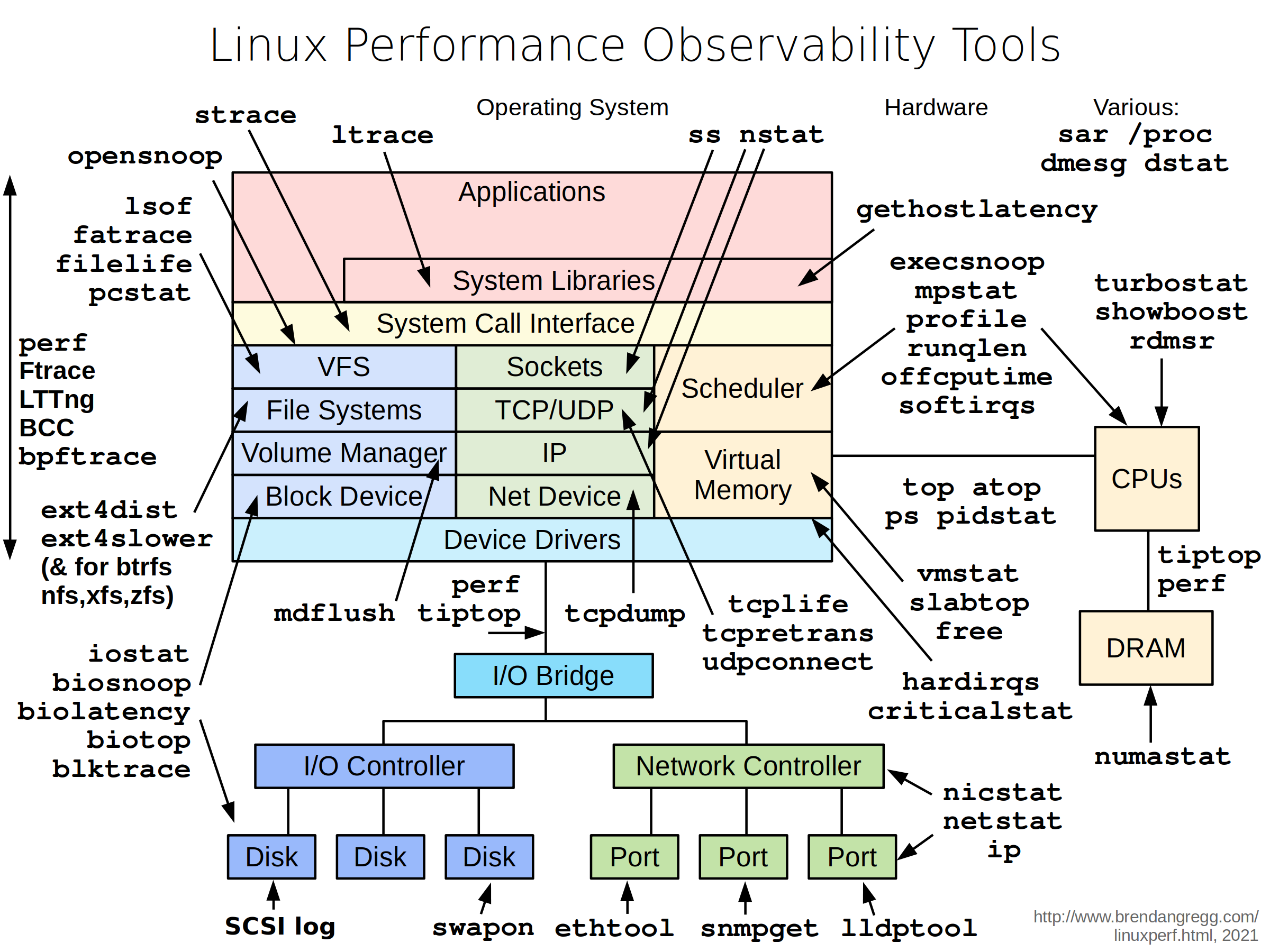
Create the file nginx-netshoot.yaml:
To do: Copy the content from here and paste it into your file.
root@kubemaster:~# vi nginx-netshoot.yaml
root@kubemaster:~# cat nginx-netshoot.yaml
apiVersion: v1
kind: Pod
metadata:
  name: nginx-netshoot
  labels:
    app: nginx-netshoot
spec:
  containers:
  - name: nginx
    image: nginx:1.19.1
---
apiVersion: v1
kind: Service
metadata:
  name: service-netshoot
spec:
  type: ClusterIP
  selector:
    app: nginx-netshoot
  ports:
    - protocol: TCP
      port: 80
      targetPort: 80
Create the pod:
root@kubemaster:~# kubectl create -f nginx-netshoot.yaml
pod/nginx-netshoot created
service/service-netshoot created
Check that the service is running:
root@kubemaster:~# kubectl get services
NAME               TYPE        CLUSTER-IP      EXTERNAL-IP   PORT(S)   AGE
kubernetes         ClusterIP   10.96.0.1       <none>        443/TCP   24d
service-netshoot   ClusterIP   10.107.115.28   <none>        80/TCP    5m18s
Now create the netshoot.yaml file:
To do: Copy the content from here and paste it into your file.
root@kubemaster:~# vi netshoot.yaml
root@kubemaster:~# cat netshoot.yaml
apiVersion: v1
kind: Pod
metadata:
  name: netshoot
spec:
  containers:
  - name: netshoot
    image: nicolaka/netshoot
    command: ['sh', '-c', 'while true; do sleep 5; done']
Create the pod:
root@kubemaster:~# kubectl create -f netshoot.yaml
pod/netshoot created
Check that the pod status is READY :
root@kubemaster:~# kubectl get pods
NAME                          READY   STATUS      RESTARTS   AGE
netshoot                      1/1     Running     0          6m7s
nginx-netshoot                1/1     Running     0          9m32s
postgresql-6f885d8957-tnlbb   1/1     Running     0          98m
sharedvolume                  2/2     Running     0          8d
troubleshooting               1/1     Running     0          125m
volumepod                     0/1     Completed   0          8d
Enter the netshoot container:
root@kubemaster:~# kubectl exec --stdin --tty netshoot -- /bin/bash
bash-5.1#
Test the service-netshoot service:
bash-5.1# curl service-netshoot
<!DOCTYPE html>
<html>
<head>
<title>Welcome to nginx!</title>
<style>
    body {
        width: 35em;
        margin: 0 auto;
        font-family: Tahoma, Verdana, Arial, sans-serif;
    }
</style>
</head>
<body>
<h1>Welcome to nginx!</h1>
<p>If you see this page, the nginx web server is successfully installed and
working. Further configuration is required.</p>

<p>For online documentation and support please refer to
<a href="http://nginx.org/">nginx.org</a>.<br/>
Commercial support is available at
<a href="http://nginx.com/">nginx.com</a>.</p>

<p><em>Thank you for using nginx.</em></p>
</body>
</html>
Lastly, use the nslookup command to obtain the IP address of the service:
bash-5.1# nslookup service-netshoot
Server:         10.96.0.10
Address:        10.96.0.10#53

Name:   service-netshoot.default.svc.cluster.local
Address: 10.107.115.28
Important : For more information about the tools included in the netshoot container, see the netshoot page on GitHub.
Copyright © 2025 Hugh Norris